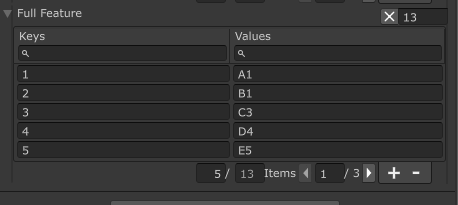
SaintsDictionary<,>A simple dictionary serialization tool. It allows:
- Allow any type of kay/value type as long as
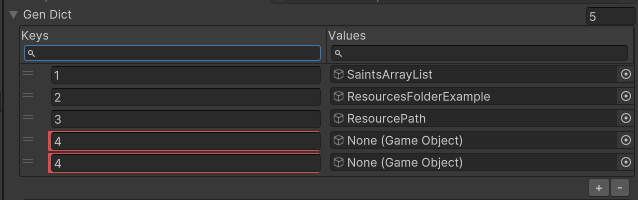
Dictionary<,>allows - Give a warning for duplicated keys
- Allow search for keys & values
- Allow paging for large dictionary
- Allow inherence to add some custom attributes, especually with auto getters to gain the auto-fulfill ability.
Basic usage:
public SaintsDictionary<string, GameObject> genDict;
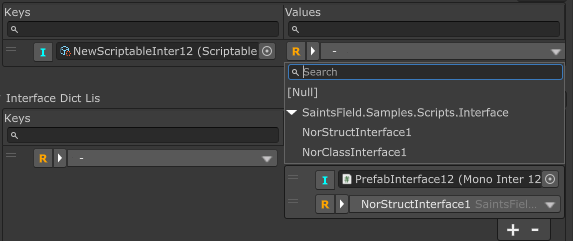
Interface is also supported. You can pick a Unity Object or a serializable class/struct for it, just like a normal interface.
public SaintsDictionary<string, IInterface1> interfaceDictValue;
// You can also use it as key
public SaintsDictionary<IInterface1, IInterface1> interfaceDict;

// list/array is also supported
public SaintsDictionary<IInterface1, List<IInterface1>> interfaceDictLis;
If the type is abstract, an SerializeReference will be automatically used:
[Serializable]
public abstract class BaseC
{
    public string absC;
}

// Derived classes...

public SaintsDictionary<BaseC, BaseC> absDict;
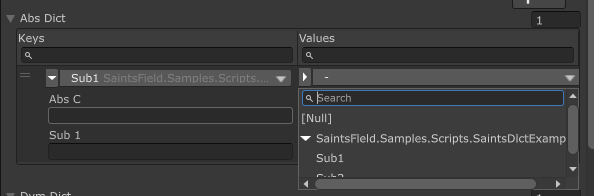
If you want to explicitly use SerializeReference, use KeyAttribute(typeof(SerializeReference)) and ValueAttribute(typeof(SerializeReference))
to inject the attribute to key/value:
[Serializable]
public class Sub1
{
    public string sub1;
}

[Serializable]
public class Sub2 : Sub1
{
    public string sub2;
}

[KeyAttribute(typeof(SerializeReference))]  // Key will be polymorphism
// [ValueAttribute(typeof(SerializeReference))]  // committed out so value will only be `Sub1` type
public SaintsDictionary<Sub1, Sub1> dymDict;
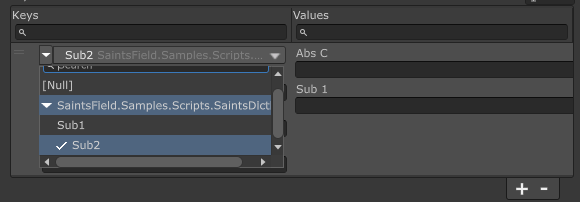
You can use KeyAttribute(type, arguments...) and ValueAttribute(type, arguments...) to add extra attributes to key/value fields.
[KeyAttribute(typeof(PropRangeAttribute), 0f, 10f, -1f)]
[ValueAttribute(typeof(ExpandableAttribute))]
[ValueAttribute(typeof(RequiredAttribute))]
public SaintsDictionary<int, SpriteRenderer> valueInject;
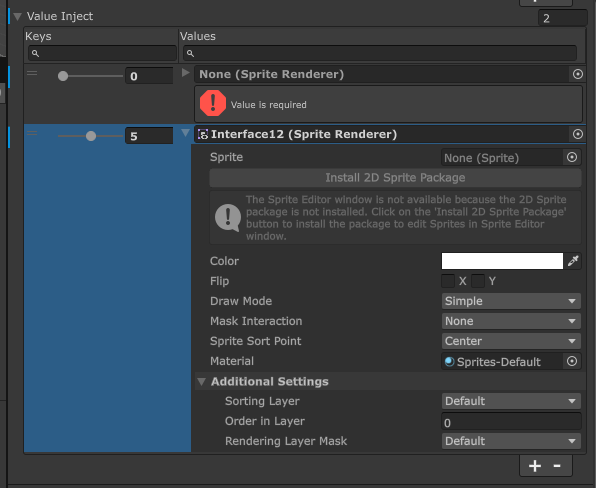
You can use config menu to control the behavior of SaintsDictionary.
However, adding SaintsDictionary attribute can change it's default behavior and more controls:
- Change keys' label & values' label
- Disable the search, if you want
- Enable the paging
Parameters:
string keyLabel = "Keys"string valueLabel = "Values"bool searchable = true: false to disable the search abilityint numberOfItemsPerPage = 0: items per page. 0 for no pagingbool objectSearch = true: should it search inside aScriptableObjecttarget? Useful if you have a gaintScriptableObject(likeTimeline) but you only want to search the namestring keyWidth = null: key column width. Can be percent like "20%", or pixel like "50" (or "50px").nullfor auto width.string valueWidth = null: value column width. Can be percent like "20%", or pixel like "50" (or "50px").nullfor auto width.string extraSearch = null: allow an custom callback search which can search alone, or search with default search functions
using SaintsField;

[SaintsDictionary("Slot", "Enemy", numberOfItemsPerPage: 5)]
public SaintsDictionary<int, GameObject> slotToEnemyPrefab;
Using on a general struct/class is supported:
using SaintsField;

[Serializable]
public struct MyStruct
{
    public string myStringField;
    public int myIntField;
}


public SaintsDictionary<int, MyStruct> basicType;
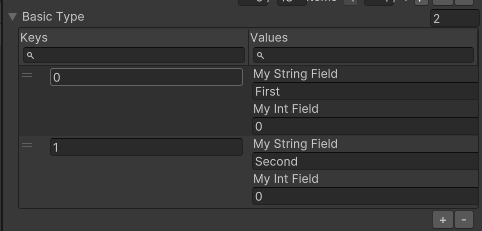
Set init width
using SaintsField;

[SaintsDictionary(keyWidth: "30%")] public SaintsDictionary<int, string> keyWidthControl;
[SaintsDictionary(valueWidth: "120px")] public SaintsDictionary<int, string> valueWidthControl;
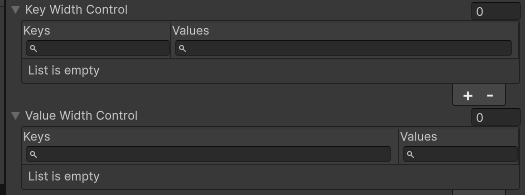
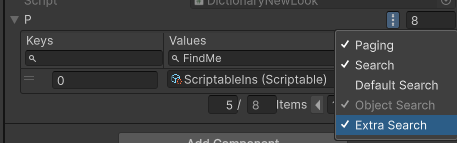
You can use a custom search. This is helpful if the target is a gaint ScriptableObject and you want the search to be limited to certain fields.
[SaintsDictionary(extraSearch: nameof(DictSearch))]
public SaintsDictionary<int, ScriptableObject> p;

private bool DictSearch(KeyValuePair<int, ScriptableObject> pair, IReadOnlyList<ListSearchToken> keyTokens,
    IReadOnlyList<ListSearchToken> valueTokens)
{
    bool keyFound = RuntimeUtil.SimpleSearch(quot;{pair.Key}", keyTokens);
    bool valueFound = RuntimeUtil.SimpleSearch(pair.Value?.name ?? "", valueTokens)  // search name
        || RuntimeUtil.SimpleSearch((pair.Value as Scriptable)?.noLabel ?? "", valueTokens);  // search `noLabel` field

    return keyFound && valueFound;
}
[SaintsDictionary] can work with [ShowInInspector]
[ShowInInspector, SaintsDictionary(numberOfItemsPerPage: 5)]
private Dictionary<int, string> FullFeature
{
    get => _plainDict;
    set => _plainDict = value;
}