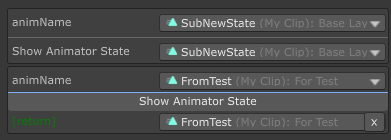
AnimatorStateA dropdown selector for animator state.
-
string animatorName=nullname of the animator. When omitted, it will try to get the animator from the current component
to get more useful info from the state, you can use AnimatorStateBase/AnimatorState type instead of string type.
AnimatorStateBase has the following properties:
int layerIndexindex of layerint stateNameHashhash value of statestring stateNameactual state namefloat stateSpeedtheSpeedparameter of the statestring stateTagtheTagof the statestring[] subStateMachineNameChainthe substate machine hierarchy name list of the state
AnimatorState added the following attribute(s):
AnimationClip animationClipis the actual animation clip of the state (can be null). It has alengthvalue for the length of the clip. For more detail see Unity Doc of AnimationClip
Special Note: using AniamtorState/AnimatorStateBase with OnValueChanged, you will get a AnimatorState on the callback.
using SaintsField; [AnimatorState] public string stateName; [AnimatorState(nameof(MyAnimator))] // you can specific an animator public AnimatorState state; public AnimatorStateBase stateBase;
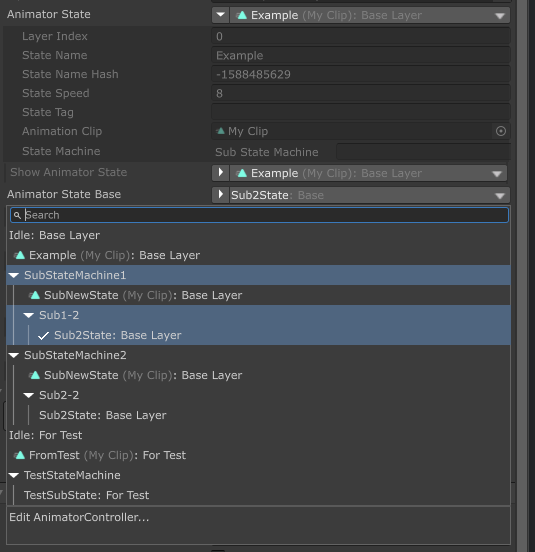
It works with ShowInInspector:
[ShowInInspector]
private AnimatorState ShowAnimatorState
{
    get => animatorState;
    set => animatorState = value;
}
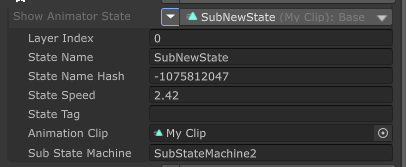
It works with ShowInInspector/Button parameters and return value
[ShowInInspector]
[AnimatorState]
private string ShowAnimatorState([AnimatorState] string animName) => animName;

[Button]
[AnimatorState]
private string ShowAnimatorState([AnimatorState] string animName) => animName;