AboveText / BelowTextImportantEnableSaintsEditorbefore using
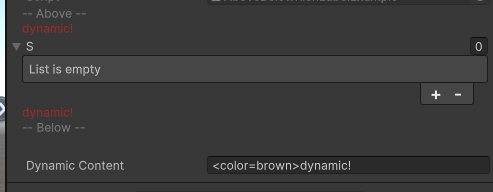
Like LabelLabel, but it's rendered above/below the field in full width of view instead.
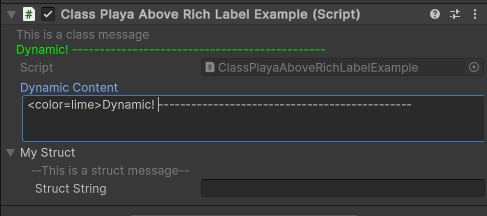
It can also be applied on a class/struct, which can act like a class/struct comment
Parameters:
string contentthe content to show. If it starts with$, then a callback/propery/field value is used. When a callback gives null or empty string, the label will be hidden. ForAboveTextthe default value for this parameter is"<color=gray><label/>". ForBelowTextthis parameter is required.float paddingLeft=4,float paddingRight=0: add pading space for content
using SaintsField; using SaintsField.Playa; [AboveText("<color=gray>-- Above --")] [AboveText("quot; + nameof(dynamicContent))] [AboveText("quot; + nameof(dynamicContent))] [BelowText("<color=gray>-- Below --")] public string[] s; [Space(20)] public string dynamicContent;
Example of using on a class/struct like a comment:
using SaintsField;
using SaintsField.Playa;

[AboveText("<color=gray>This is a class message")]
[AboveText("quot; + nameof(dynamicContent))]
public class ClassPlayaAboveRichLabelExample : MonoBehaviour
{
    [ResizableTextArea]
    public string dynamicContent;

    [Serializable]
    [AboveText("<color=gray>--This is a struct message--")]
    public struct MyStruct
    {
        public string structString;
    }

    public MyStruct myStruct;
}