CompTextImportantEnableSaintsEditorbefore using
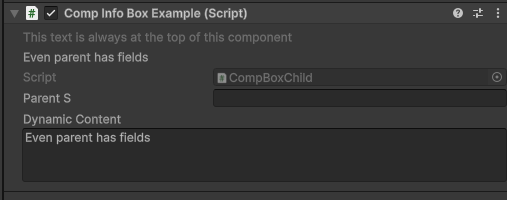
Draw text at the top of a component inspector, before the Script field.
This uses the same rich text and callback behavior as AboveText, but is intended for component-level messages that should always stay at the top of the component inspector.
Parameters:
string contentthe content to show. If it starts with$, then a callback/propery/field value is used. When a callback gives null or empty string, the label will be hidden.float paddingLeft=4,float paddingRight=0: add pading space for content
using SaintsField; [CompText("<color=gray>This text is always at the top of this component")] [CompText("quot; + nameof(dynamicContent))] public class CompTextExample : MonoBehaviour { [ResizableTextArea] public string dynamicContent; }