InfoBox/BelowInfoBoxImportantEnableSaintsEditorbefore using
Draw an info box above/below the field.
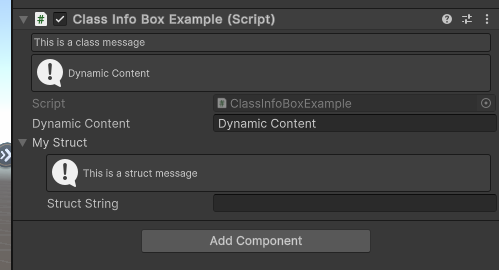
It can also be directly applied on a class/struct definition, to act like a comment.
-
string contentThe content of the info box.
If it starts with
$, the leading$will be removed andisCallbackwill be set totrue. Use\$to escape the starting$. -
EMessageType messageType=EMessageType.InfoMessage icon. Options are
NoneInfoWarningError
-
string show=nulla callback name or property name for show or hide this info box.
-
bool isCallback=falseif true, the
contentwill be interpreted as a property/callback function.If the value (or returned value) is a string, then the content will be changed
If the value is
(EMessageType messageType, string content)then both content and message type will be changed -
bool below=falseDraw the info box below the field instead of above
-
string groupBy=""SeeGroupBysection -
AllowMultiple: Yes
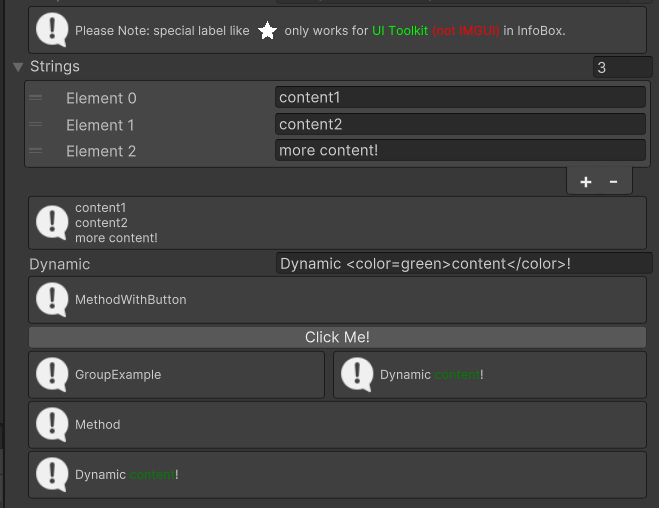
// Please ensure you already have SaintsEditor enabled in your project before trying this example using SaintsField.Playa; [InfoBox("Please Note: special label like <icon=star.png/> only works for <color=lime>UI Toolkit</color> <color=red>(not IMGUI)</color> in InfoBox.")] [BelowInfoBox("quot; + nameof(DynamicFromArray))] // callback public string[] strings = {}; public string dynamic; private string DynamicFromArray(string[] value) => value.Length > 0? string.Join("\n", value): "null"; [InfoBox("MethodWithButton")] [Button("Click Me!")] [BelowInfoBox("GroupExample", groupBy: "group")] [BelowInfoBox("quot; + nameof(dynamic), groupBy: "group")] public void MethodWithButton() { } [InfoBox("Method")] [BelowInfoBox("quot; + nameof(dynamic))] public void Method() { }
Example of using on a class/struct definition like a data comment:
using SaintsField;
using SaintsField.Playa;

[InfoBox("This is a class message", EMessageType.None)]
[InfoBox("quot; + nameof(dynamicContent))]
public class ClassInfoBoxExample : MonoBehaviour  // The info box will show in inspector wherever you attach this component
{
    public string dynamicContent;

    [Serializable]
    [InfoBox("This is a struct message")]
    public struct MyStruct  // The info box will show at first row wherever you use this struct
    {
        public string structString;
    }

    public MyStruct myStruct;
}