Pick a way that is most convenient for you:
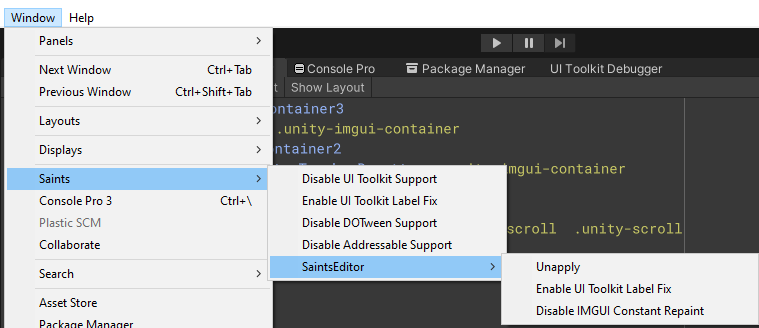
Using Saints Menu
Go to Tools - Saints Field to enable/disable functions you want
Using csc.rsp
-
Create file
Assets/csc.rsp -
Write marcos like this:
#"Enable DOTween" -define:SAINTSFIELD_DOTWEEN_ENABLE #"Disable Addressable" -define:SAINTSFIELD_ADDRESSABLE_DISABLE #"Disable AI Navigation" -define:SAINTSFIELD_AI_NAVIGATION_DISABLED #"Enable SaintsEditor project wide" -define:SAINTSFIELD_SAINTS_EDITOR_APPLY #"Enable the code analysis" -define:SAINTSFIELD_CODE_ANALYSIS
Note: csc.rsp can override settings by Saints Menu.
Using project settings
Edit - Project Settings - Player, find your platform, then go Other Settings - Script Compliation - Scripting Define Symbols to add your marcos. Don't forget to click Apply before closing the window.